Snapfish: Prints + Photo Books
- 4.4
- Rating
- 5.00M
- Installs
- Free
- Price

 Analysis by App-foxy
My first impression of Snapfish: Prints + Photo Books was that it is less about keeping photos on a phone and more about turning them into objects I can actually use. It is a free photography app from Snapfish Mobile, aimed at people who want to order prints and create items such as photo books, tiles, mugs, cards, and calendars. The appeal is immediate: I can browse my camera roll, choose a favorite image, and start making something tangible instead of leaving the picture buried among thousands of other shots.
That first-week excitement is real, especially if I have just returned from a trip, finished a family event, or collected a batch of pictures that deserve more attention. The app is rated for Everyone, and its current version is 17.6.0, with Android support beginning at version 8.0. It is also a mature product, released on April 13, 2012, so I approach it differently from a brand-new novelty app. The important question is not whether I can make one attractive item. It is whether the app remains useful after the first order.
From quick photo projects to a lasting habit
I find it helpful to treat each project as a small, finished task rather than an open-ended attempt to organize my whole camera roll. Choosing one occasion, one recipient, or one purpose gives me a clear stopping point and makes it easier to decide what deserves a print or a page. That practical approach also sets up a closer look at how comfortably the app supports different ways of browsing and making choices.
You May Also Like

 Blood Strike: 2.5 Anniversary
Blood Strike’s Loadouts Turn Every Drop Into a Tactical Gamble
A close look at Blood Strike’s custom loadouts: how fast access to signature weapons reshapes its battle royale rhythm, rewards preparation, and narrows the gap between fights.

 Pandora - Music & Podcasts
Pandora’s Music Is Easy to Start, but Harder to Recover
Pandora’s strength is its low-effort path from a seed to a station. Its weak spot is how much confidence it asks you to place in connection, setup, and quiet recovery.

 8 Ball Pool
 Is Built on Rivalries, Rematches, and Routine
A close look at the rivalries, rematches, shared routines, and unanswered safety questions that turn a quick pool match into a persistent mobile community.

 Samsung Music
’s Quiet Strength Is Playing What You Already Own
Its reach comes less from spectacle than from dependable access to a personal library. That simplicity is both the app’s strongest retention engine and its ceiling.

 AccuWeather: Weather Radar
AccuWeather Review: A Quick, Clear Forecast for Everyday Decisions
For everyday plans, the best forecast is the one you can understand quickly. AccuWeather makes rain timing, radar, and local conditions easy to act on, with a few trade-offs.

 Hill Climb Racing
Why Hill Climb Racing Still Turns Crashes Into One More Run
A tiny car, a bumpy hill and one more upgrade: Hill Climb Racing keeps resurfacing because its simple chaos makes every near-miss feel personal.
More From Our News Desk



The first week: easy ideas, quick emotional payoff
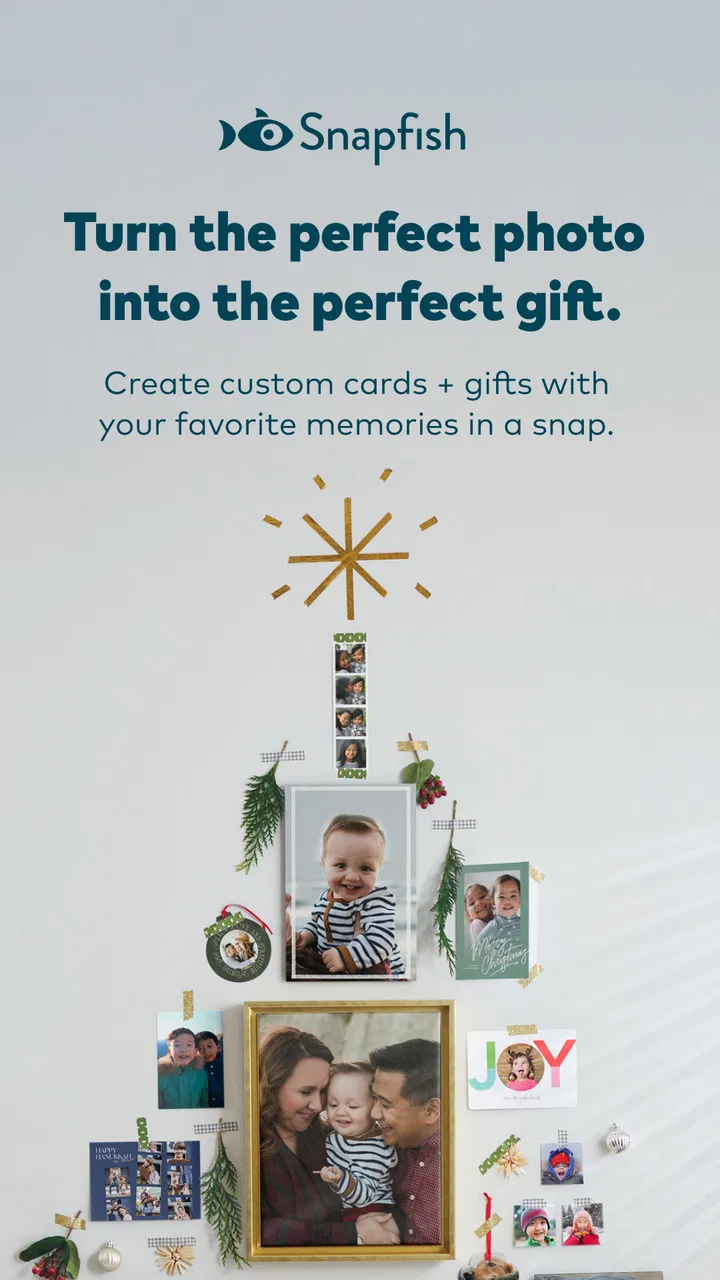
The strongest part of the experience is the short path from a digital photo to a physical project. A single picture can become a small gift, while a larger group of images can form the basis of a photo book or calendar. I find that flexibility more useful than an app focused only on standard prints, because different moments call for different formats. A child’s birthday may suit a small collection of prints, while a holiday or family year works better as a book.
The app’s free entry point matters here. I can install it without paying for the app itself, explore the creative options, and decide whether the workflow fits me before committing to an order. That makes it approachable for occasional users who do not want to learn a complicated desktop design program. The store audience reflects that broad appeal: it has passed five million installs, with an average rating of 4.5 from roughly ninety-nine thousand ratings.
One practical detail I appreciate is the ability to begin with the photos I already have rather than planning a project around a separate camera or editing system. That makes the app suitable for ordinary phone photography: weekend outings, school activities, pets, meals with friends, and screenshots of meaningful moments. I do not need every image to be professionally composed. The value comes from selecting a coherent group and giving it a physical destination.
Still, I would not treat the first attractive preview as proof that the finished item will look perfect. Phone screens are bright and forgiving, while printed material is less so. Before ordering, I would inspect crops carefully, especially around faces, hands, and text. A wide phone image may not fit neatly into a square tile or a portrait page. The app can help me arrange a project, but it cannot rescue a poorly chosen crop.
A realistic everyday workflow
My most convincing use case is a low-pressure monthly routine. After a family gathering, I could mark the best images, remove duplicates, and create a small print order while the event is still fresh. For a longer story, I could collect pictures over several weeks and later arrange them into a photo book. The key is not to upload everything. I get a better result when I decide what the story is before opening the design tools.
For example, a parent might use the app after a child’s school performance. Instead of sending every photo to relatives, I would select the clearest portraits, one or two wider scenes, and a few details that show the atmosphere. Those images could become prints for grandparents or pages in a compact book. The app is most satisfying when it turns a specific memory into a deliberate gift, rather than when it encourages me to order random images simply because they are available.
A useful tip is to separate selection from design. I would first create a temporary album in my phone’s photo library, check it for blurry frames and near-identical shots, and only then build the project in Snapfish. This reduces the amount of fiddling inside the editor and makes the final layout more intentional. It also helps answer a question many new users have: how many photos should go into a project? There is no universal number, but a smaller, edited set usually tells a clearer story than an overloaded collection.
Why the novelty can last beyond one order
The app has recurring value because the occasions themselves keep changing. A photo book can document a trip, a calendar can mark a coming year, and cards can support a seasonal or personal event. Tiles and mugs offer a different kind of use: they turn a favorite image into something that stays visible in a room or on a desk. That variety prevents the experience from being limited to one type of print.
The store summary also highlights an offer of one hundred pictures each month at no charge. I see that as a reason to investigate the app regularly, not as a reason to order without thinking. Offers can make routine printing more accessible, but the real cost of a project is not only the app’s price. I still need to consider the item I choose, delivery, and whether I actually want the finished object. The free app is easy to try; the purchase decision deserves more care.
Month-to-month value depends on a personal system
After the first project, I think the app works best when attached to a habit. Without one, it becomes another icon I open only when a promotion or a major event reminds me about it. With a simple routine, it can become a practical archive. I might review the previous month’s photos, keep only the images that represent something meaningful, and decide whether they belong as prints, a book page, or nowhere outside the phone.
This approach also protects me from a common problem with photo products: accumulation. A shelf full of poorly edited albums is not more valuable than a well-chosen collection. I would rather make a modest book that I enjoy revisiting than a larger project filled with repeated poses and accidental screenshots. The app encourages creation, but the long-term quality comes from my editing discipline.
For someone who regularly sends photos to relatives, the service can be more useful than a standard gallery app. A gallery is excellent for storing and sharing digital images, but it does not replace a physical print or a designed gift. On the other hand, if I only want cloud backup, automatic organization, or advanced photo correction, this is not the tool I would choose. Its purpose is the transition from image selection to a physical product.
Compared with a general design application, Snapfish feels more focused on the finished item. A design app may give me finer control over typography, layers, and custom layouts, but it can also demand more time and knowledge. Here, I would choose the simpler route when I want a recognizable photo product without building every element from scratch. The trade-off is control: people who care deeply about exact spacing, color management, or elaborate branding may prefer a more specialized editor.
What maintenance actually involves
The maintenance burden is not technical in the way it is with a complicated productivity tool. I do not need to learn a large workflow just to keep using it. The ongoing work is mainly curatorial: finding worthwhile images, deleting weak candidates, and deciding what deserves to become an object. That sounds small, but it is the part most likely to make the app feel like a chore.
I would keep a dedicated phone album for potential projects rather than searching through the entire camera roll every time. I would also name the album by occasion and review it once before designing. This prevents the app from becoming a place where I repeatedly rediscover the same images without finishing anything. A project is easier to complete when the selection is already clean.
Another maintenance issue is consistency between the screen and the printed result. I would check brightness and crop, but I would avoid making aggressive edits solely because a picture looks dramatic on a phone. Subtle images may print more naturally than heavily filtered ones. If text is part of a card or calendar, I would proofread it separately from the photo review. A beautiful image cannot compensate for a misspelled name or an awkward date.
People often wonder whether a photo-printing app is suitable for preserving important memories. I would use it for accessible family keepsakes, gifts, and personal albums, while keeping the original images stored elsewhere. A printed project is not a substitute for digital backup. The app’s strength is presentation, not being my only archive. Keeping the original files gives me the freedom to redesign or reprint later if I change my mind.
Where fatigue begins
The first source of fatigue is decision overload. Once an app offers prints, books, tiles, mugs, cards, and calendars, I can spend more time comparing formats than choosing photos. I find it helpful to begin with the recipient or purpose: “I want a small gift,” “I want a trip record,” or “I want a visible image for a room.” That narrows the options quickly.
The second is the gap between a quick project and a polished one. A basic order may feel effortless, but a photo book with a clear sequence requires judgment. I need to think about opening and closing images, repeated scenes, empty space, and whether the pages feel balanced. The app can make the mechanics accessible, but it does not remove the creative decisions. Users expecting fully automatic storytelling may find the process slower than the store summary suggests.
There is also a risk of promotional fatigue. A monthly picture allowance can encourage me to think about ordering frequently, yet not every month contains an event worth printing. I would not force a purchase to justify installing the app. The lasting value comes from matching the product to a genuine memory, not from treating the allowance as a deadline.
Another limitation is that physical products introduce consequences that digital sharing does not. A wrong crop, an overlooked duplicate, or an unsuitable image choice becomes part of the finished order. I would always review the preview at a slower pace than I reviewed the photos on my phone. This is especially important for group shots, where the automatic arrangement may leave someone near an edge or make a face less prominent than intended.
Who should use it, and who should skip it?
I would recommend it to people who have a crowded phone gallery and want a gentle way to make memories visible. It suits families, travelers, gift-givers, and anyone who likes the idea of a photo book but does not want to start with desktop publishing software. It is also a reasonable choice for someone who wants several product types in one photography-focused app instead of managing separate services.
I would be more cautious if I rarely print anything, dislike reviewing photos, or want complete control over every design detail. The app cannot create a meaningful album from an unedited camera roll without some effort from me. Someone seeking professional color workflows, highly customized layouts, or a pure image-editing tool would probably be happier elsewhere.
It is also not the best fit for a person who wants instant digital delivery only. The whole point is to make something physical, so the satisfaction comes after selection and production rather than immediately after tapping share. That slower payoff is a strength for keepsakes and a weakness for spontaneous digital communication.
Does it earn permanent space?
For me, the answer is yes, but only if I give it a defined role. I would keep it for monthly photo editing, occasional gifts, and a few carefully planned books or calendars. I would not use it as my main gallery, backup service, or advanced editor. Its lasting usefulness comes from closing the distance between “I should do something with these photos” and a finished object I can hold.
The app has enough range to survive the first-week novelty, yet it does not eliminate the need for personal taste. That is an honest trade-off. It makes the mechanics approachable, while the quality of the result still depends on how thoughtfully I select and review images. In my experience, that balance is better than an automatic service that produces something quickly but feels generic.
Snapfish Mobile has built a mature photography app around a simple habit: choose meaningful images and give them a physical form. The free installation, Everyone age rating, broad product selection, and substantial user base make it easy to try. I would keep expectations realistic about editing effort and final costs, and I would always retain the original digital files. Used that way, Snapfish: Prints + Photo Books earns its place not through constant novelty, but through the recurring satisfaction of finishing projects I would otherwise leave forgotten on my phone.
FAQs for Snapfish: Prints + Photo Books
01What features does Snapfish offer for photo customization?
Snapfish provides a wide range of customization options for your photos. You can create personalized photo books, prints, and calendars. The app allows you to add text, choose from various templates, and apply filters to enhance your photos. It also supports multiple photo sizes, ensuring your memories are captured just the way you want.
02Is Snapfish easy to use for beginners?
Yes, Snapfish is designed with user-friendliness in mind. Its intuitive interface guides you through the process of uploading photos, selecting templates, and customizing your projects. Whether you're creating a photo book or ordering prints, the step-by-step instructions make it accessible for users with any level of technical expertise.
03How does Snapfish handle photo uploads and storage?
Snapfish offers a straightforward photo upload process. You can upload images directly from your device, social media accounts, or cloud storage services. The app supports high-resolution photo uploads, ensuring your prints are of the best quality. Additionally, Snapfish provides free photo storage, allowing you to keep your memories safe and easily accessible.
04Are there any discounts or promotions available on Snapfish?
Snapfish frequently offers discounts and promotional deals to its users. These can include percentage discounts on orders, free shipping, or special offers on specific products like photo books or calendars. It's a good idea to check their website or subscribe to their newsletter to stay updated on the latest deals and maximize savings.
05What are the delivery options and times for Snapfish orders?
Snapfish provides various delivery options depending on your location. Standard, expedited, and rush delivery options are available, with delivery times ranging from a few days to a week or more. It's important to check the estimated delivery times during checkout, especially if you're ordering for a special occasion, to ensure your photos arrive on time.
Pros
- User-friendly interface for quick navigation.
- Wide variety of customizable print options.
- Affordable pricing for prints and books.
- Excellent quality of printed photos.
- Easy integration with social media accounts.
Cons
- Occasional app crashes during photo uploads.
- Shipping times can be longer than expected.
- Limited editing tools for photo enhancement.
- Requires account creation to access features.
- In-app ads can be a bit intrusive.

Snapfish: Prints + Photo Books
Gallery